Request cards
Tap Request to create a branded PDF card with the amount, split, and available image receipts. Send it with a short message through Messages, WhatsApp, or Mail. The other parent does not need the app.
 Shared StepComing soon
Private by design
No account. No server for your records. No tracking. Built for co-parents sharing costs for kids and pets. Log what you paid, see what the other parent owes, and send a clear request. Your records stay on your phone unless you choose to share or export them.
See how it worksFree to log. $4.99 once for PDF reports. No subscription.
Coming soon to iPhone and Android.
Room to breathe
Tap Request to create a branded PDF card with the amount, split, and available image receipts. Send it with a short message through Messages, WhatsApp, or Mail. The other parent does not need the app.
Photograph a receipt, choose an image from your photo library, or attach a PDF. Keep it with the expense, on your phone.
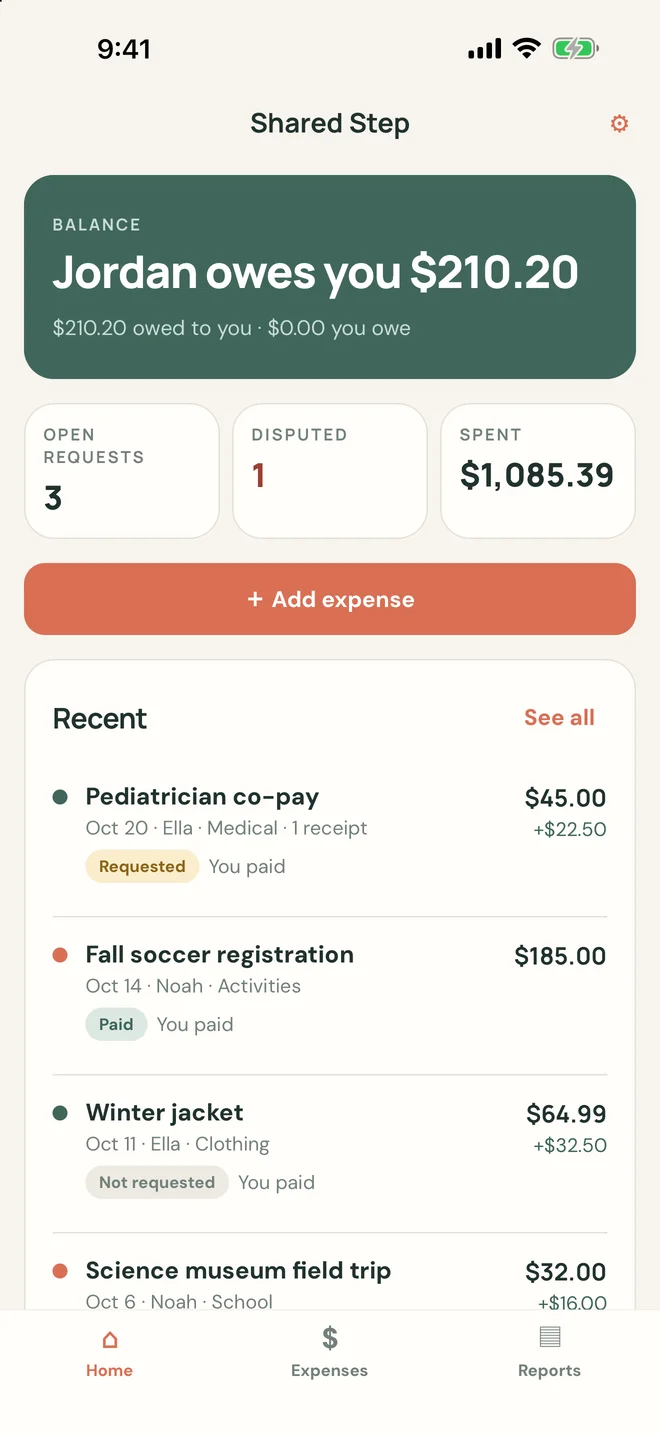
See who owes whom. Track Not requested, Requested, Partially paid, Paid, and Disputed, with a dated history of changes.
Choose a date range and kids. Get summaries by child and category, an itemised ledger, a dated reimbursement trail, and receipt appendices. Unlock once for $4.99.
Lock the app with Face ID, Touch ID, or your Android fingerprint or face unlock. Export a backup encrypted with your own passphrase and restore it on a new phone.
Share an image or PDF from Photos, Files, Mail, Gmail, or another app and pick Shared Step to start a new expense with the receipt attached.
A request, without the back-and-forth
Add the amount, split, and receipt.
A clear card and short message are ready to share.
Or choose WhatsApp, Mail, or another sharing option.
Record the payment and keep the history in one place.
Jordan is an example recipient. On iPhone, a request is marked Requested after you complete sharing, not when you cancel. Android does not report whether a share finished, so there it is marked when you open the share sheet; you can change the status any time. Shared Step does not move money or verify delivery or payment.
For your whole little crew
Add as many children and shared pets as you need. Log an expense for one of them, or choose “All / none” for a shared cost. Include the store or provider, date, and notes.
Set your usual split once—50/50, 70/30, or any percentage—and change it for an individual expense.
Simple, on purpose
Everyday records
Free
Optional report unlock
$4.99 one time
One in-app purchase. No subscription. Restore your purchase with the same Apple ID or Google account.
Yours to keep. Yours to share.
Your names, notes, receipts, and records stay in the app’s private storage. We do not receive them. Only the cards, reports, and backups you choose to share leave through your sharing tools; your own phone backups (iCloud, your computer, or your Google account on Android) can also include app data.
No account, cloud sync, analytics, crash reporting, or ads.
Read our privacy policyComing soon to iPhone and Android.
Free to log. $4.99 once for PDF reports. No subscription.
See what’s includediPhone with iOS 16.4 or later · Android 7.0 or later · No web app